
Chuyển đến nội dung chính
VMS agent collector (Vero Metric Collector) chạy trực tiếp tại host hoặc customer site để thu thập dữ liệu giám sát (system metrics, process, logs, connections, port status) và gửi về VMS Master qua HTTPS.
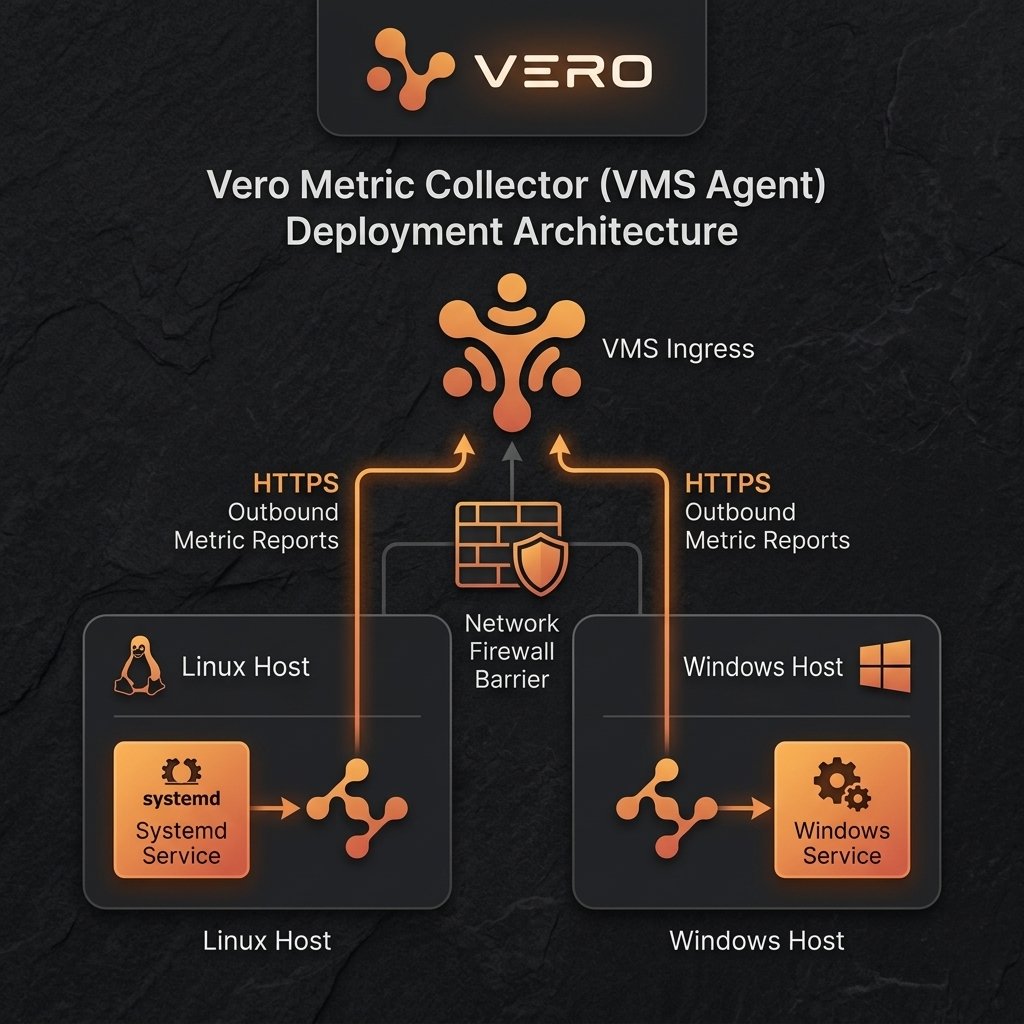
Hỗ trợ đa nền tảng: VMS Agent hỗ trợ chạy trực tiếp trên Linux dưới dạng systemd service và trên Windows dưới dạng Windows service, ngoài ra cũng hỗ trợ container hóa qua Docker/Kubernetes.

Mô hình hoạt động của Agent

Dưới đây là luồng kết nối và báo cáo dữ liệu của Agent trên cả hai nền tảng Linux và Windows: Cài đặt và kết nối VMS Agent

Các đầu mục chuẩn bị (Agent)

Đầu mụcYêu cầu chuẩn bị
OSLinux (systemd) hoặc Windows (Windows Service)
Kết nốiInbound port không cần mở. Outbound cần mở kết nối HTTPS tới INGRESS_URL
API KeyKey hợp lệ sinh ra từ VMS Master
TLS ModePublic CA hoặc file private CA được cấu hình nếu tự ký cert

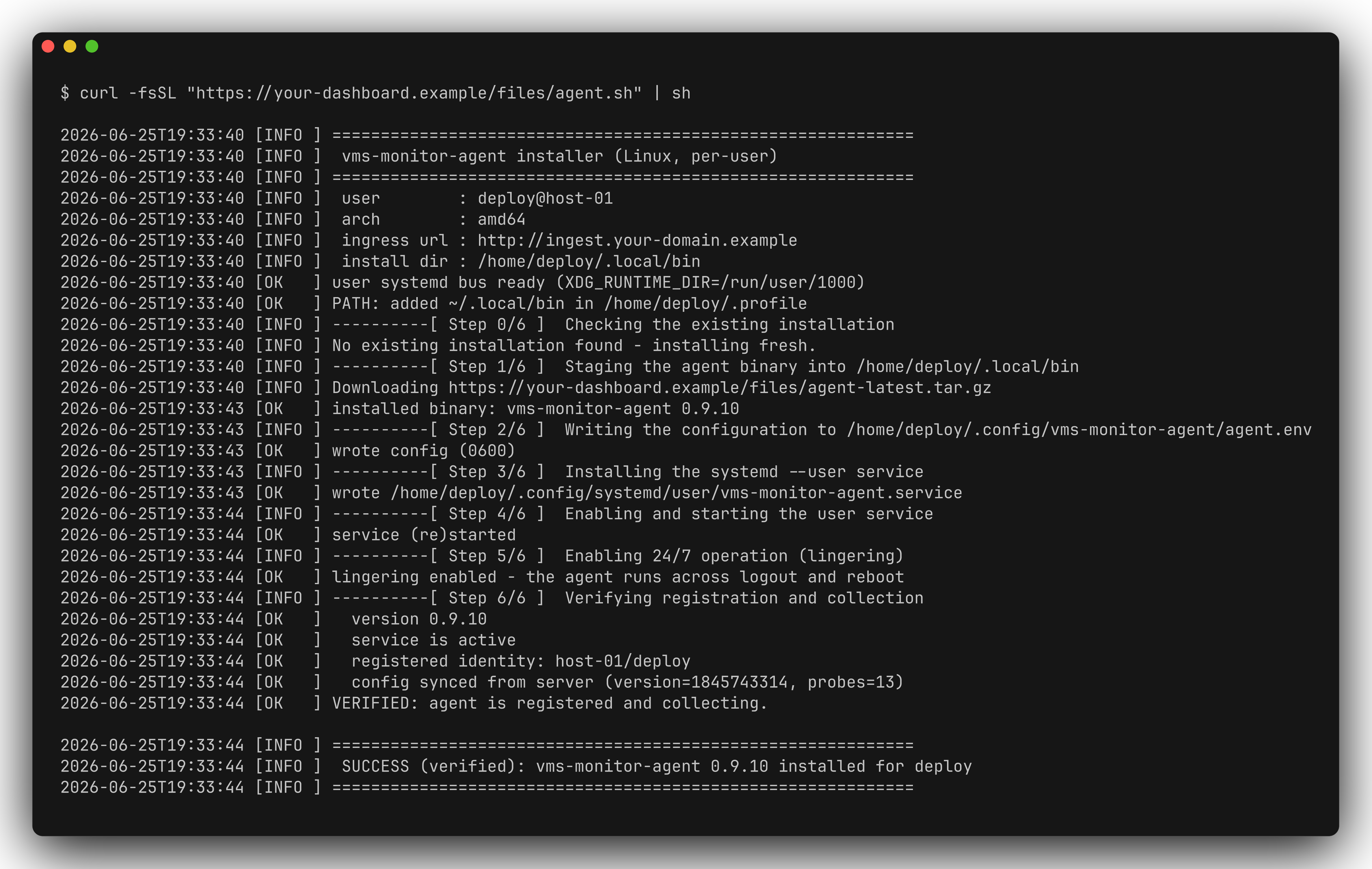
Quy trình triển khai trên Linux (systemd)

Quy trình cài đặt trên Linux bao gồm các bước theo cấu trúc Thực hiện (Step) - Kiểm tra (Check) - Kết quả (Result):
1

1. Tải và cài đặt Agent

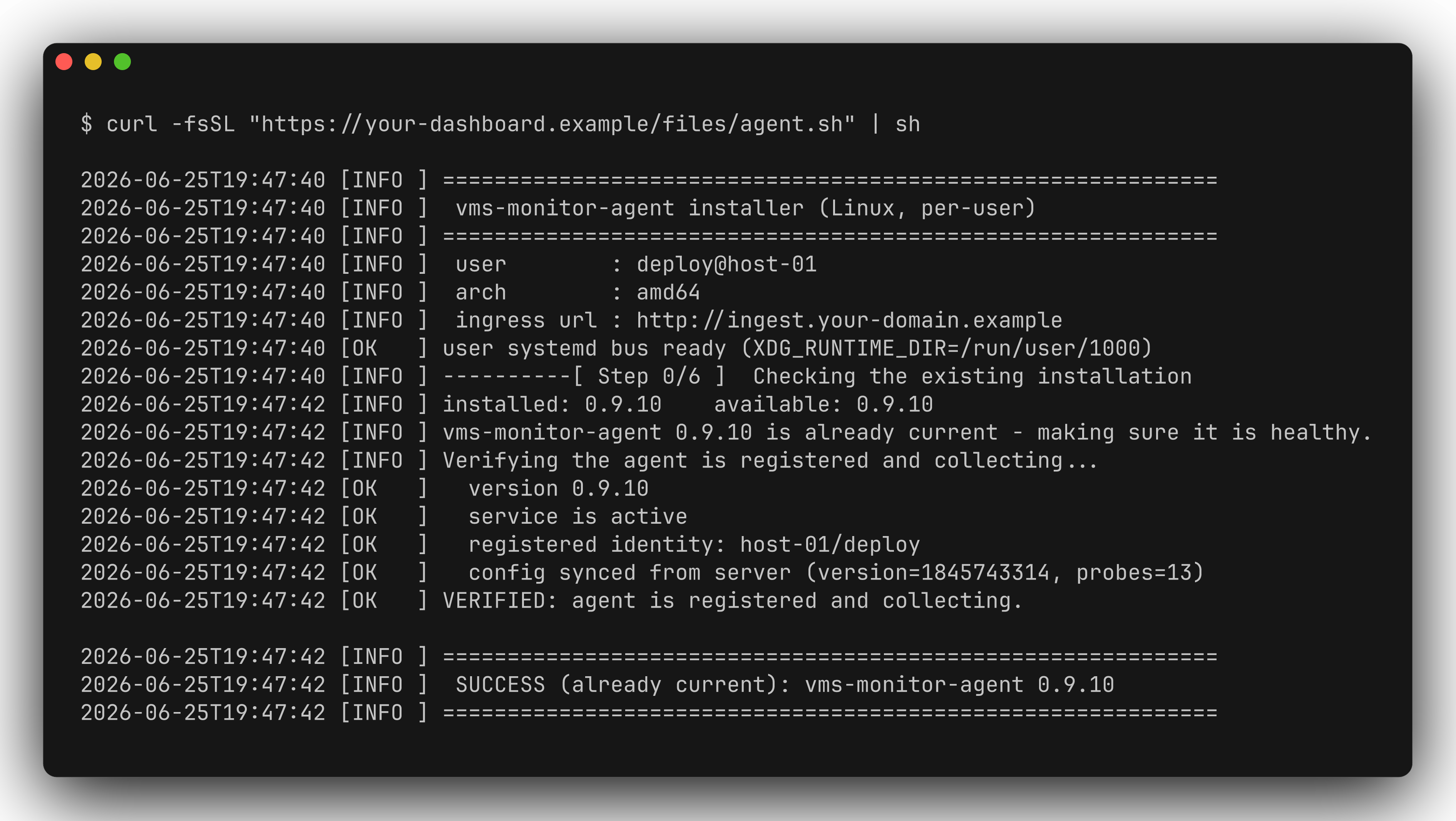
  • Step: Tải install script từ domain của khách hàng để cài đặt package và binary.
    curl -fsSL https://CUSTOMER_DOMAIN/agent/install/linux.sh | sudo bash -s -- --ingress-url https://ingest.CUSTOMER_DOMAIN --api-key YOUR_API_KEY
    
  • Check: Kiểm tra xem file chạy và version đã được tạo đúng chưa:
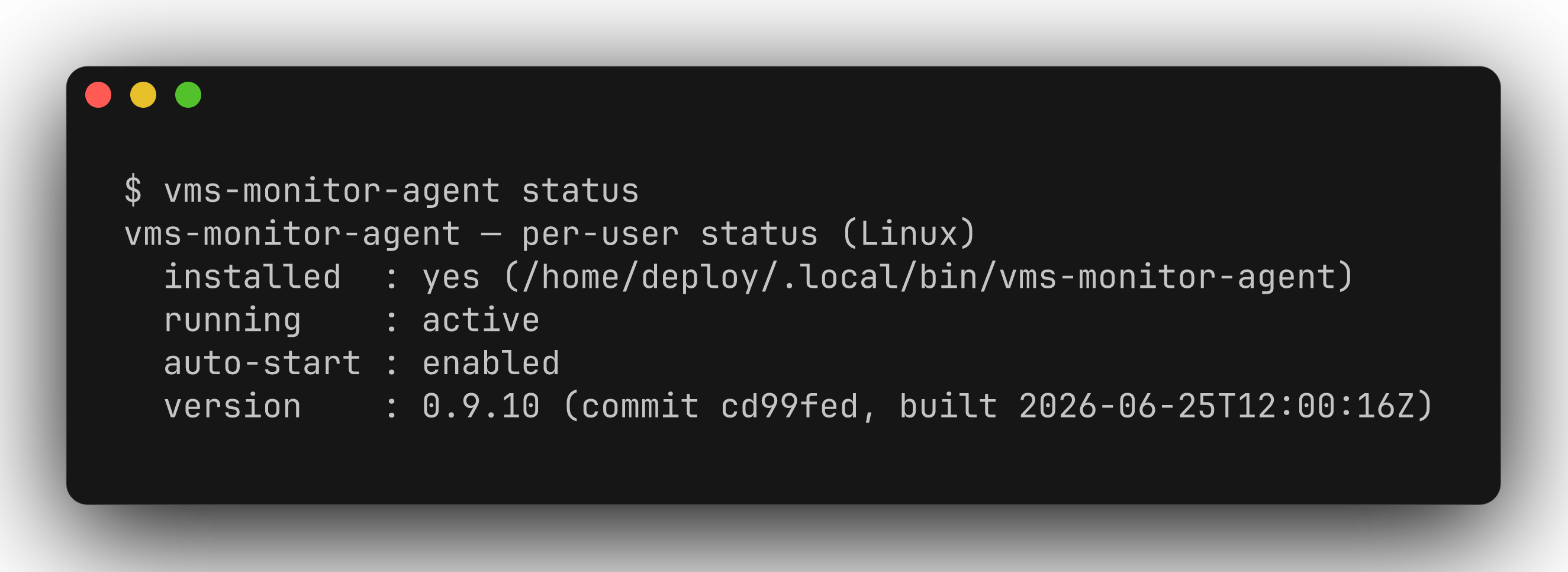
    vms-monitor-agent version
    
  • Result: Hiển thị thông tin phiên bản, commit ID và ngày build của agent.
2

2. Cấu hình biến môi trường và TLS

  • Step: Tạo hoặc cập nhật file cấu hình environment /etc/vms-monitor-agent/agent.env. Khai báo API key và CA file (nếu dùng CA nội bộ).
    VMS_METRICS_INGRESS_URL="https://ingest.CUSTOMER_DOMAIN"
    VMS_METRICS_INGRESS_API_KEY="YOUR_API_KEY"
    VMS_TLS_CA_FILE="/etc/vms-monitor-agent/ca.crt"
    
  • Check: Đọc file env để đảm bảo không bị lỗi cú pháp:
    cat /etc/vms-monitor-agent/agent.env
    
  • Result: File env được tạo chính xác với các biến môi trường cấu hình kết nối.
3

3. Khởi chạy Service

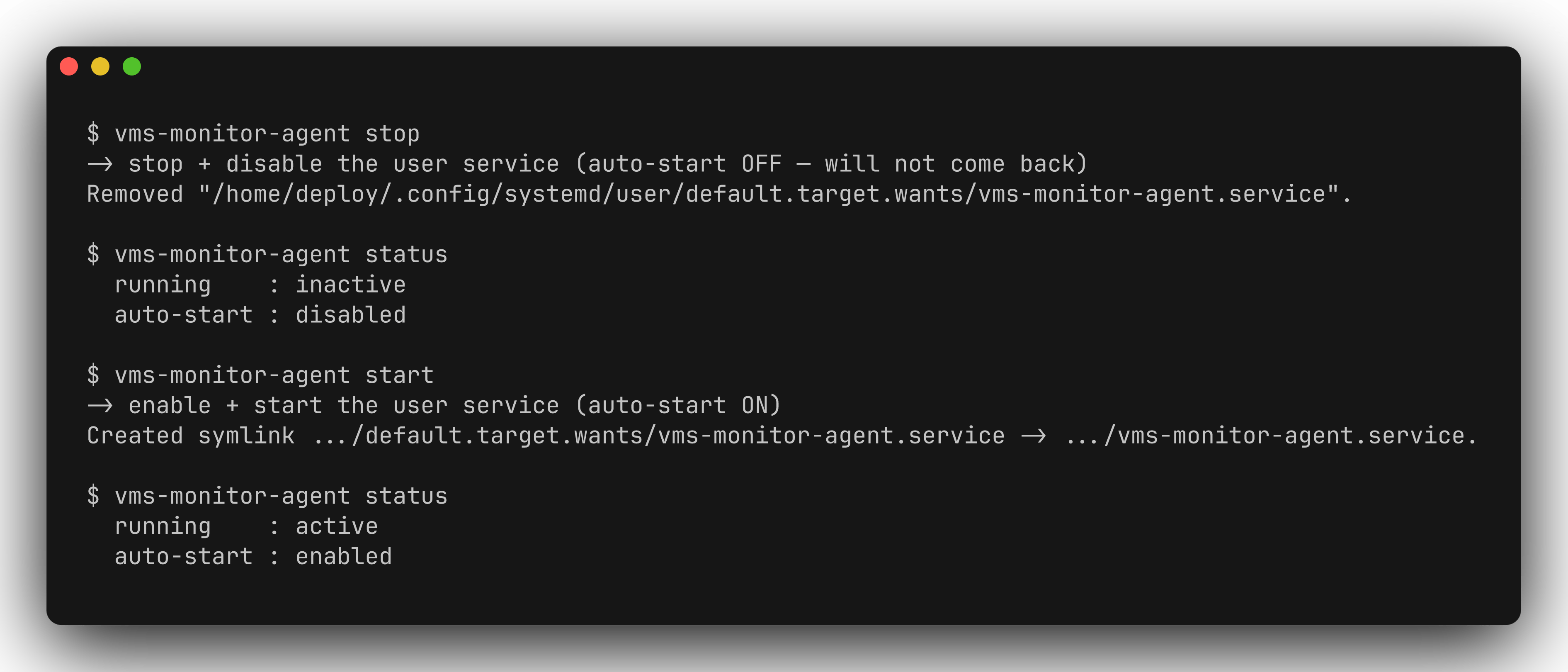
  • Step: Bật tính năng khởi động cùng hệ thống và start service vms-monitor-agent qua systemd:
    sudo systemctl daemon-reload
    sudo systemctl enable --now vms-monitor-agent
    
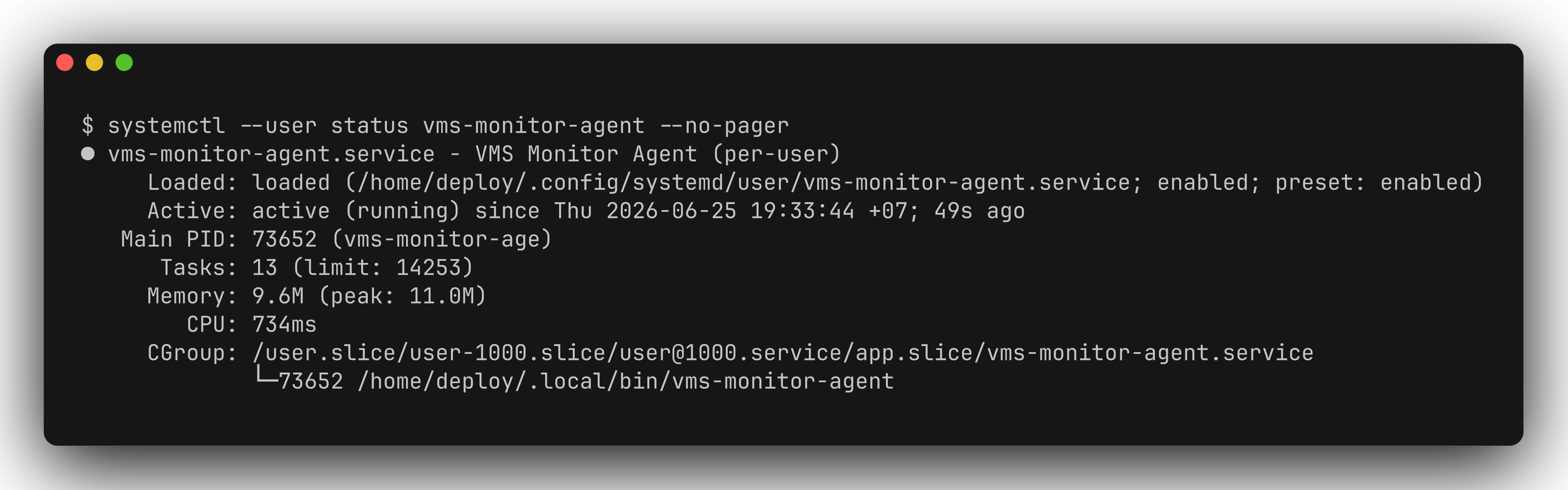
  • Check: Kiểm tra tình trạng hoạt động của service:
    sudo systemctl status vms-monitor-agent --no-pager
    
  • Result: Trạng thái service hiển thị active (running).
4

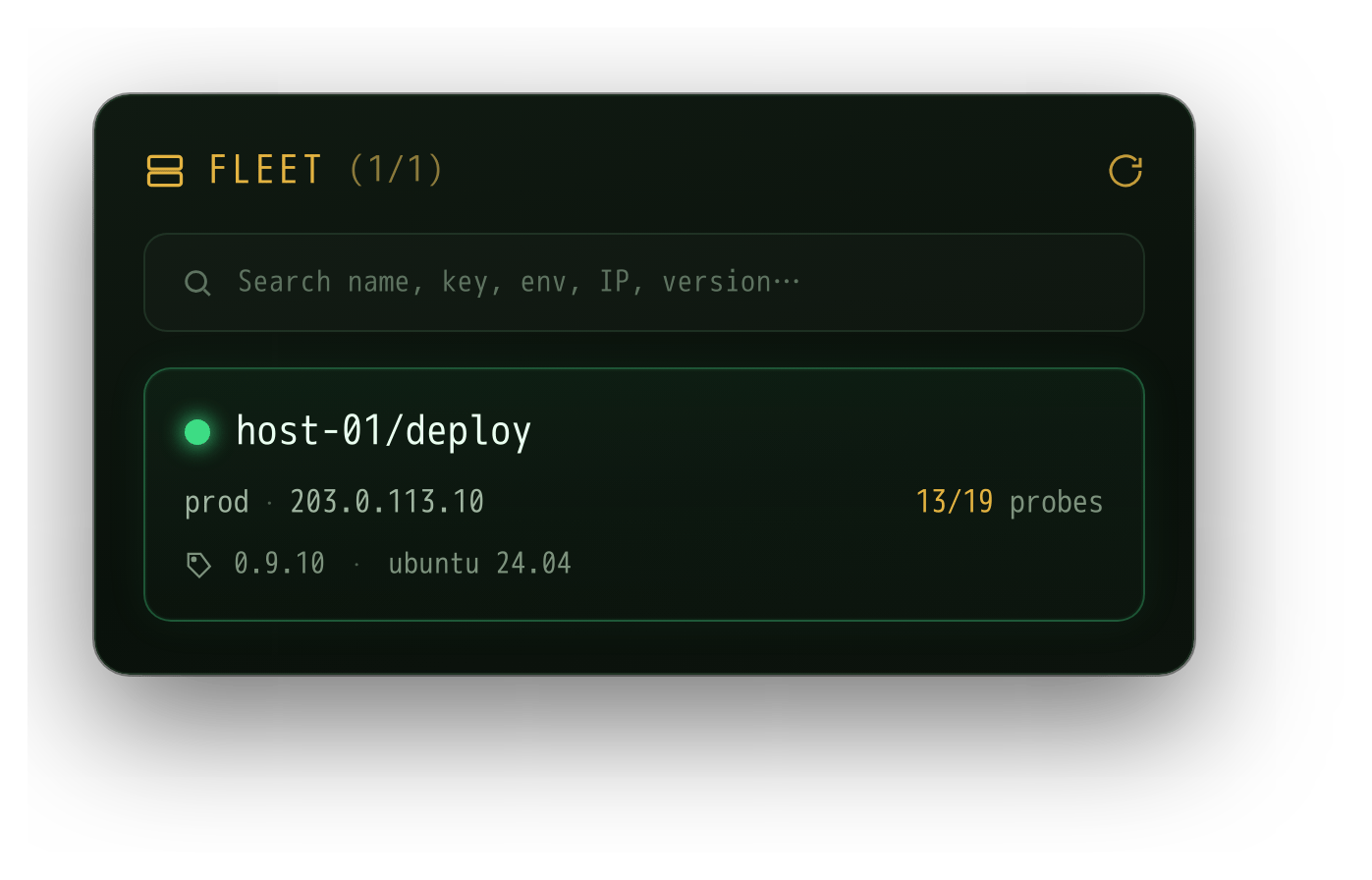
4. Kiểm tra Logs kết nối

  • Step: Xem logs hoạt động thực tế để xác nhận agent đã giao tiếp được với VMS Master.
    sudo journalctl -u vms-monitor-agent -n 50 -f --no-pager
    
  • Check: Tìm log ghi nhận việc kết nối gửi metric.
  • Result: Xuất hiện log INFO [Ingress] Reporting probe results to vms-ingress... và không có lỗi auth/connection.

Quy trình triển khai trên Windows (Windows Service)

Quy trình cài đặt trên Windows bao gồm các bước theo cấu trúc Thực hiện (Step) - Kiểm tra (Check) - Kết quả (Result):
1

1. Tải bộ cài đặt Windows

  • Step: Mở PowerShell với quyền Administrator và tải file script cài đặt cùng binary:
    iwr https://CUSTOMER_DOMAIN/agent/install/windows.ps1 -OutFile install.ps1
    
  • Check: Xác nhận file script đã nằm trong thư mục hiện tại:
    Test-Path .\install.ps1
    
  • Result: Kết quả trả về True.
2

2. Chạy script cài đặt Service

  • Step: Thực hiện chạy script cài đặt dịch vụ tự động với thông tin Ingress URL và API Key:
    PowerShell -ExecutionPolicy Bypass -File .\install.ps1 -IngressUrl "https://ingest.CUSTOMER_DOMAIN" -ApiKey "YOUR_API_KEY"
    
  • Check: Kiểm tra phiên bản của exe sau khi script hoàn tất:
    .\vms-monitor-agent.exe version
    
  • Result: Phiên bản agent được in ra thành công trên terminal.
3

3. Khởi chạy và kiểm tra Windows Service

  • Step: Start service thông qua Service Controller của Windows:
    Start-Service -Name "vms-monitor-agent"
    
  • Check: Lấy trạng thái hoạt động của Service:
    Get-Service -Name "vms-monitor-agent"
    
  • Result: Thuộc tính Status hiển thị là Running.
4

4. Kiểm tra nhật ký Event Viewer

  • Step: Đọc Event Logs của Application để đảm bảo agent kết nối tốt và không crash.
    Get-EventLog -LogName Application -Source vms-monitor-agent -Newest 10
    
  • Check: Tìm kiếm bản ghi log khởi chạy thành công.
  • Result: Logs báo cáo agent khởi chạy thành công và kết nối thành công tới Ingress API.

Cấu trúc cấu hình chung của Probe

Mỗi probe có phần thông tin chung và phần config riêng theo từng loại probe.
{
  "code": "core-host-resource",
  "name": "Core host resource",
  "type": "host_resource",
  "intervalSeconds": 30,
  "timeoutMs": 5000,
  "retryCount": 1,
  "enabled": true,
  "targetId": "core-host-01",
  "labels": { "system": "Core", "owner": "core-ops" },
  "config": { "collectCpu": true, "collectMemory": true }
}
FieldBắt buộcMô tả
codeMã duy nhất để nhận diện probe
nameKhôngTên hiển thị trên dashboard
typeLoại probe, ví dụ host_resource, http_check
intervalSecondsKhôngChu kỳ chạy probe
timeoutMsKhôngTimeout cho một lần chạy
retryCountKhôngSố lần retry khi check fail
enabledKhôngBật/tắt probe
targetIdKhôngMã host/service liên quan
labelsKhôngLabel bổ sung như system, env, owner
configCấu hình riêng của từng probe

Danh sách probe hỗ trợ

Chi tiết config từng probe xem tại trang riêng trong menu bên trái. Bảng tóm tắt:
Probe typeNhómMô tả
host_resourceCoreThu thập CPU, memory, disk, disk IO, network
check_portCoreKiểm tra TCP port mở/đóng
pingCoreKiểm tra host reachable (ICMP / TCP fallback)
http_checkCoreKiểm tra HTTP/HTTPS endpoint
dns_checkCoreKiểm tra DNS record
tls_certCoreTheo dõi hạn TLS certificate
process_monCoreGiám sát process đang chạy
service_monCoreKiểm tra trạng thái systemd / Windows service
connectionCoreKiểm tra số lượng connection theo filter
connection_monCoreGiám sát TCP connection giữa process và service (bidirectional)
file_checkCoreKiểm tra file tồn tại, size, tuổi
log_monCoreĐếm log line match pattern
log_getCoreShip log line có redaction
auto_discoveryCoreDiscovery connection inventory và topology
custom_checkOpt-in (vms_custom_check)Chạy executable đã phê duyệt
container_monHeavy (vms_heavy)Giám sát Docker / Swarm container
k8s_monHeavy (vms_heavy)Giám sát Kubernetes workload/pod/node
snmp_checkHeavy (vms_heavy)Polling SNMP OID
wmi_perfHeavy (vms_heavy)WMI query trên Windows

Troubleshooting thường gặp

Triệu chứngNguyên nhân thường gặpCách xử lý
Agent start fail ngayThiếu ingress URL/API keyKiểm tra env file hoặc machine env
401/auth blockedAPI key sai hoặc bị rotateLấy key mới từ VMS master và restart agent
x509 unknown authorityIngress dùng private CACài CA file và set VMS_TLS_CA_FILE
Ping chuyển TCP fallbackThiếu raw ICMP permissionCấp CAP_NET_RAW hoặc chấp nhận TCP fallback
Connection/process thiếu process nameThiếu quyền đọc process attributionChạy với quyền phù hợp hoặc cấp CAP_SYS_PTRACE theo policy
Container probe không chạyGói agent không có probe container hoặc thiếu docker socketDùng đúng package agent và mount socket read-only theo risk approval
K8s probe permission missingThiếu ServiceAccount/RBACCấp get/list workload/pod/node và metrics-server nếu collectStats